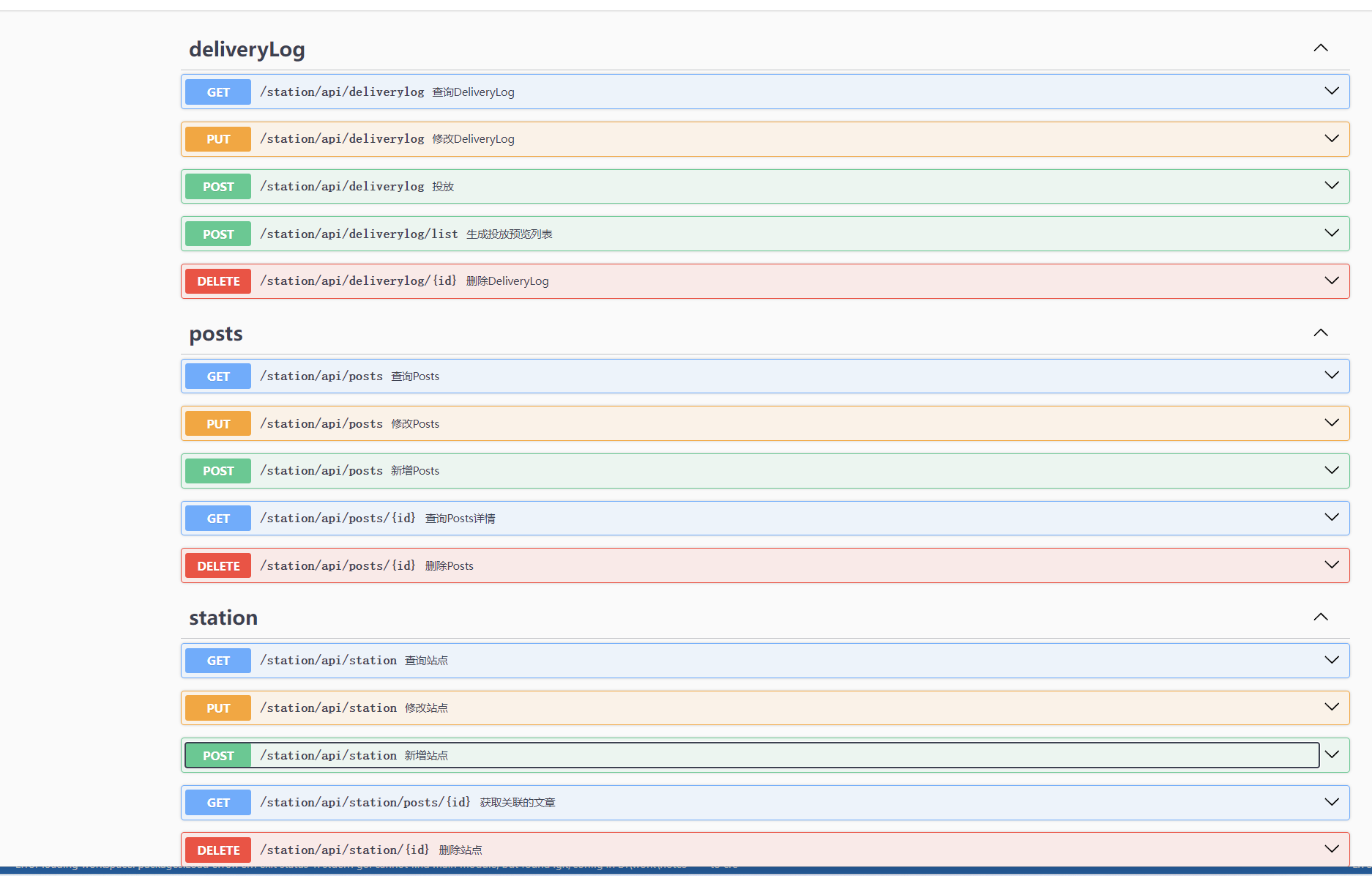
本次目标我们主要讲解怎么编写业务代码。
由于我们大部门接口代码已经自动生成了,我们就只需要编写业务代码即可。
这里我们以编写查询posts 的接口为例子。
1.启动swagger
我们启动swagger方便我们随时进行测试。
swagger serve --no-open -F=swagger --port 36666 station.json
2.编写api代码
进入api\internal\logic目录,我们编写查询接口,大致会有如下几个步骤:
1.转换查询条件 2.调用rpc接口查询 3.转换返回结果
querypostslogic.go
func (l *QueryPostsLogic) QueryPosts(req *types.PostsReq) (resp *types.PostsListResp, err error) {
    // 1.转换查询struct
    rpcRep := &station.PostsReq{
        PageInfo: &station.PageInfo{
            Page:     req.Page,
            PageSize: req.PageSize,
        },
        Title:      req.Title,
        Source:     req.Source,
        Author:     req.Author,
        Categories: req.Categories,
    }
    if req.CreateTime > 0 {
        rpcRep.CreateTime = time.UnixMilli(req.CreateTime).Format("2006-01-02")
    }
    // 2调用rpc接口查询
    postsListInfo, err := l.svcCtx.PostsRpc.QueryPosts(l.ctx, rpcRep)
    if err != nil {
        return nil, err
    }
    // 3.转换结果
    resp = &types.PostsListResp{
        BaseDataInfo: types.BaseDataInfo{
            Code:    0,
            Message: "success",
        },
        Data: types.PostsListInfo{
            BaseListInfo: types.BaseListInfo{
                Total: postsListInfo.BaseListInfo.Total,
            },
        },
    }
    for _, item := range postsListInfo.Data {
        resp.Data.Data = append(resp.Data.Data, types.PostsInfo{
            Id:         item.Id,
            Title:      item.Title,
            Source:     item.Source,
            Author:     item.Author,
            ThrownNum:  item.ThrownNum,
            Categories: item.Categories,
            CreateTime: item.CreateTime,
            Content:    item.Content,
        })
    }
    return resp, nil
}
3.编写rpc代码
进入rpc\internal\logic,同样也是类似3个步骤
1.转换查询条件 2.调用model接口查询 3.转换返回结果
调用model接口这里是复杂查询,我们需要自己进行数据库逻辑编写,这里我们先定义出model接口
QueryPosts(ctx context.Context,in station.PostsReq )([]Posts,uint64,error)
querypostslogic.go
func (l *QueryPostsLogic) QueryPosts(in *station.PostsReq) (*station.PostsListInfo, error) {
    // 1.转换擦查询体条件
    // 2.查询数据库
    list, total, err := l.svcCtx.PostsModel.QueryPosts(l.ctx, in)
    if err != nil {
        return nil, err
    }
    // 3.转换返回数据
    resp := &station.PostsListInfo{
        BaseListInfo: &station.BaseListInfo{
            Total: total,
        },
    }
    if total > 0 {
        for _, item := range list {
            resp.Data = append(resp.Data, &station.PostsInfo{
                Id:         item.Id,
                Title:      item.Title.String,
                Source:     item.Source.String,
                Author:     item.Author.Int64,
                ThrownNum:  item.ThrownNum.Int64,
                CreateTime: item.CreateAt.UnixMilli(),
                Categories: item.Categories.String,
            })
        }
    }
    return resp, nil
}
3.数据库逻辑代码
上面我们只是定义出QueryPosts 数据库查询接口,接下来我们编写具体的数据库查询代码
进入rpc\model 目录
postsmodel_gen.go
// 定义接口
postsModel interface {
    Insert(ctx context.Context, data *Posts) (sql.Result, error)
    FindOne(ctx context.Context, id uint64) (*Posts, error)
    QueryPosts(ctx context.Context,in *station.PostsReq )([]*Posts,uint64,error)
    Update(ctx context.Context, data *Posts) error
    Delete(ctx context.Context, id uint64) error
}
// 编写查询逻辑
func (m *defaultPostsModel) QueryPosts(ctx context.Context,data *station.PostsReq )([]*Posts,uint64,error){
    //构建查询条件
    query := "where 1=1"
    params :=make([]interface{},0,0)
    if data.Title!=""{
        query += " and title like ?"
        params = append(params,  "%"+data.Title+"%")
    }
    if data.Source!=""{
        query += " and source = ?"
        params = append(params,  data.Source)
    }
    if data.Author!=0{
        query += " and author = ?"
        params = append(params,  data.Author)
    }
    if data.Categories!=""{
        query += " and categories = ?"
        params = append(params,  data.Categories)
    }
    if data.CreateTime!=""{
        query += " and create_at >= ? and create_at < ?"
        params = append(params,  fmt.Sprintf("%v 00:00:00",data.CreateTime))
        params = append(params,  fmt.Sprintf("%v 23:59:59:999",data.CreateTime))
    }
    //查数量
    total := 0
    items := make([]*Posts, 0)
    err := m.conn.QueryRow(&total,fmt.Sprintf("select count(1) from %s ", m.table) + query, params...)
    if err!=nil {
        return nil,0, err
    }
    // 没有记录
    if total == 0 {
        return items, uint64(total), nil
    }
    //分页
    query += "  order by id desc LIMIT ? OFFSET ?"
    params = append(params, data.PageInfo.PageSize)
    params = append(params, data.PageInfo.PageSize*(data.PageInfo.Page-1))
    err = m.conn.QueryRows(&items, fmt.Sprintf("select %s from %s", postsRows, m.table) + query, params...)
    if err!=nil {
        return nil,0, err
    }
    return items,uint64(total),nil
}
4.测试
上面就是一个简单的查询接口编写流程,我们测试下
进入rpc目录,启动rpc
go run station.go
进入api目录,启动api
go run staion.go
进入swagger调用接口进行测试
http://127.0.0.1:8000/station/api/posts?page=1&pageSize=2&createTime=1721639216052
返货ok
{
"code": 0,
"message": "success",
"data": {
"total": 1,
"data": [
{
"id": 1,
"title": "1",
"source": "1",
"author": 1,
"thrownNum": 1,
"categories": "1",
"createTime": 1721639216052,
"content": ""
}
]
}
}
根据接口响应我们对接口进行逻辑调整。
如果是实体和接口需要调整我们可以修改 .api文件 和 .proto文件进行调整。然后使用脚手架命令重新生成。
5.总结
上面就是一个分布式接口的一般开发流程。基于go-zore我们的业务代码写在logic包中,一般来说只需要关注logic和model。
当然这里的model可以使用orm框架进行替代,如gorm,ent。可以根据自己的需要进行替换。
如果是单体项目那就没有rpc这个环节,api直接和model交互。
具体完整的api代码可以查看源码
6.tips
事务有必要讲下,我们以新增文章为例,文章分为posts和posts_text表,我们需要同时新增成功,这时候就需要用到事务。
下面是使用事务的例子
// 新增Posts 和PostsText
func (m *defaultPostsModel) AddPosts(ctx context.Context, data *Posts, text *PostsText) (int64,error){
    var id int64
    // 开启事务
    err := m.conn.TransactCtx(ctx, func(ctx context.Context, session sqlx.Session) error {
        query := fmt.Sprintf("insert into %s (%s) values (?, ?, ?, ?, ?, ?, ?)", m.table, postsRowsExpectAutoSet)
        r, err := session.ExecCtx(ctx, query, data.Title, data.Source, data.Author, data.ThrownNum, data.Categories,data.Creater,data.Modifier)
        if err != nil {
            return err
        }
        id ,err = r.LastInsertId()
        if err != nil {
            return err
        }
        query = fmt.Sprintf("insert into %s (%s) values (?, ?)", "posts_text", postsTextRowsExpectAutoSet)
        _ ,err =session.ExecCtx(ctx, query, id , text.Content)
        if err != nil {
            return err
        }
        return nil
    })
    if err!=nil {
        return id,err
    }
    return id,nil
}
本文作者 xulin(海鸥技术部落),原载于团队 GitBook 技术 Wiki。
WordPress 站群实战 5:API 和 RPC 业务代码编写
本文档对应的代码分支 本次目标我们主要讲解怎么编写业务代码。 由于我们大部门接口代码已经自动生成了,我们就只需要编写业务代码即可。 这里我们以编写查询posts 的接口为例子。 1.启动swagger 我们启动swagger方便我们随时进行测试。 2.编写api代码 进入api\internal\logic目录,我们编写查询接口,大致会有如下几个步骤: 1.转换查询条件 2.调用rpc接口查询 3